vidview
Working with the founder to narrow the target market, refine the product offering, design, and launch a marketing website and provider-side SaaS app.
UX Design
SaaS
Dashboard
Design System


In Progress
This case study is currently being updated. Some sections and visuals are in progress but still show the overall design process and outcomes.

My responsibilities
I had the opportunity to work as the sole UX/UI designer for a small startup project where I collaborated closely with the owner, copywriter, and developer.
Defined and prioritized the MVP experience
Designed a responsive website & Provider app
Worked closely with a developer on handoff
Created documentation for the copywriter
Advised on product positioning and launch strategy
Created the brand identity, including logo direction, colors, typography
Product Design
Research
User interviews
Wireframes
Prototypes
UI Design
Design system
Product handoff
Problem
Home service professionals often rely on word of mouth to grow their business, but they don’t always have the time or tools to market themselves well. Vidview set out to solve two things:
Make it easy for pros to refer each other through networking groups.
Help pros build client trust and convert more leads through short, personalized videos.
Goal
Work with founder to finalize product offering, design a clear and conversion-focused marketing website and Provider SaaS app. The site needed to communicate the value of personalized client videos while laying the groundwork for future features like service provider networking.
Research
The company is in it's very early stages, so I met with the owner regularly to understand the business offering and who the target user were. The owner being a home inspector was able to help me understand the needs and challenges of our users.
Once I had a working prototype, testing the site on home service providers helped to simplify the product offering.
Target audience and pain points

Independent Home Service Provider
Age
30 - 55
Profession
Home Inspector / Plumber / Electrician
Business size
1–5 employee
Tech Comfort
Moderate - uses phone and email for business, but doesn’t have a full website or CRM
Goals:
Earn client trust before the job
Reduce no-shows and client uncertainty
Get more repeat and referral work without doing more marketing
Look more professional than competitors
Pain Points:
Doesn’t have time or budget to build a polished online presence
Finds it awkward to explain upsell services in person
Often works alone and relies on word-of-mouth marketing
Doesn’t always know if leads convert or drop off
People don’t know who to trust anymore. By the time I show up, they’re already nervous - like they’re waiting for me to upsell something sketchy.
How Vidview helps
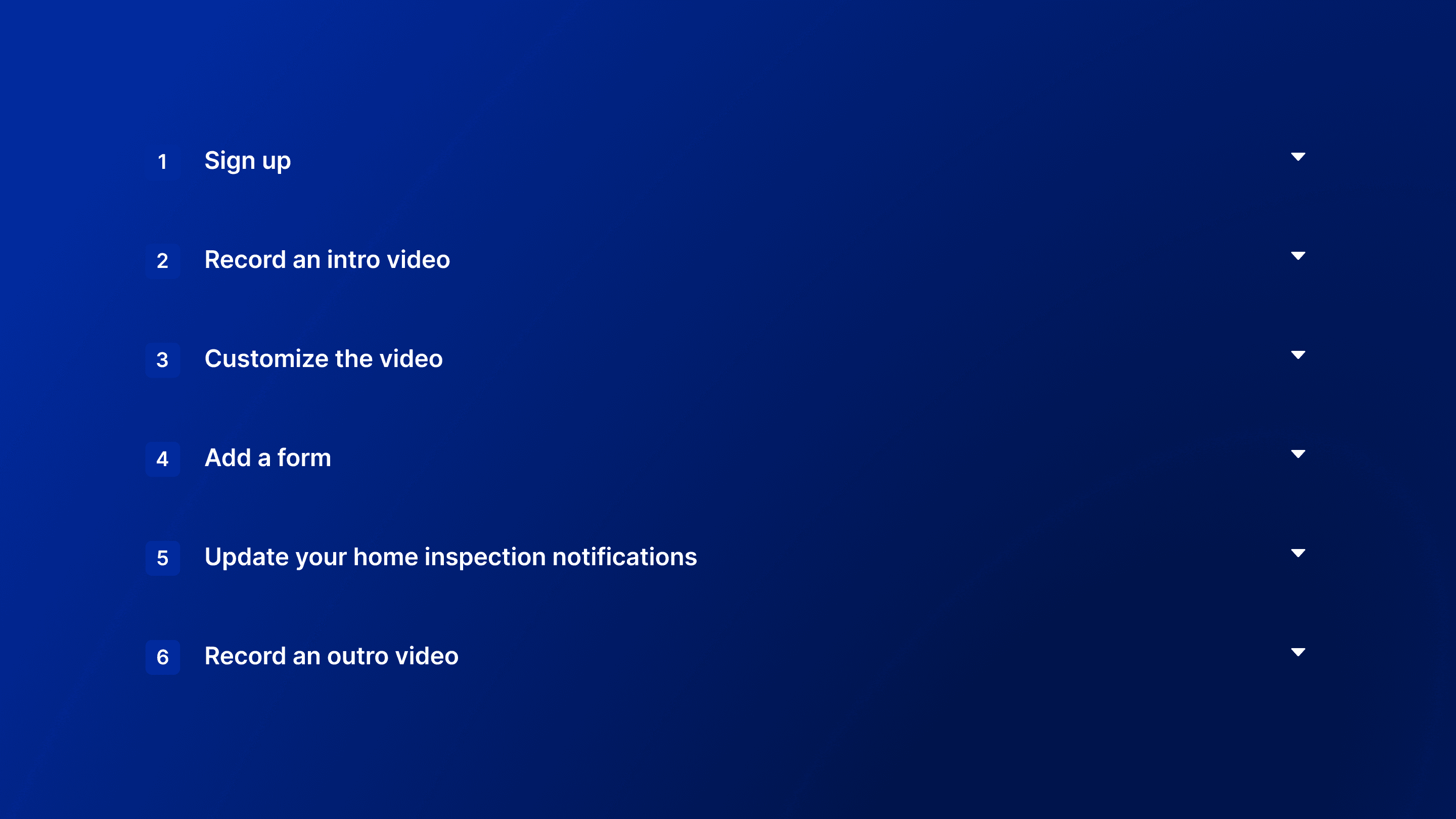
Provides a professional intro video to send before a job, building trust automatically
Gives access to a branded library of help videos that explain services
Helps increase upsells through custom pre-job forms
Creates a clean, modern online profile without needing a full website
Client type notes
Home Inspectors: Often work with real estate agents or home sellers. Focus is on appearing credible and professional in a tight sales timeline.
Home Pros (Electricians, Plumbers, HVAC): Work with homeowners directly. Focus is on building trust and encouraging return service or referrals.
Iteration
While the idea of networking groups had potential, initial customer testing revealed confusion around the concept - users didn’t understand how or why they’d use the QR stickers or access a group of providers. On the other hand, clients responded positively to the idea of receiving short “about me” or service explainer videos before a scheduled visit.
I needed to help the founder prioritize and clarify the offering, while still leaving room for future features like group referrals.
Solution
I proposed we launch with a simplified product focused on client video tools - allowing home professionals to:
Create custom intro videos to send before client visits
Access a shared video library to educate customers and sell add-on services
This would be easier to build, easier to explain, and would still serve the long-term vision of helping pros grow through trust and visibility.
We postponed the networking group component until we could better validate and simplify how it would work.
Outcome
The first version of the marketing site is live at vidview.com, with a focus on explaining the video features clearly to service providers. I created a clean, modern design system, with scalable components and room for future expansion.
Though the product is still evolving, I helped guide early feature decisions toward a more user-centered direction - balancing the founder’s vision with real customer feedback.


Learnings
Prioritizing one strong value prop can lead to a clearer, more focused MVP
Founders sometimes need help translating vision into user value - good design is about asking the right questions, not just building what’s asked
Provider App
As part of my work with Vidview, I designed a provider-side SaaS app. The goal was to give service professionals a simple dashboard to manage their video library and client forms, track shares, and take quick actions in the field. This part of the project is still in progress.
Mid-fidelity designs


Final designs


Dev Handoff
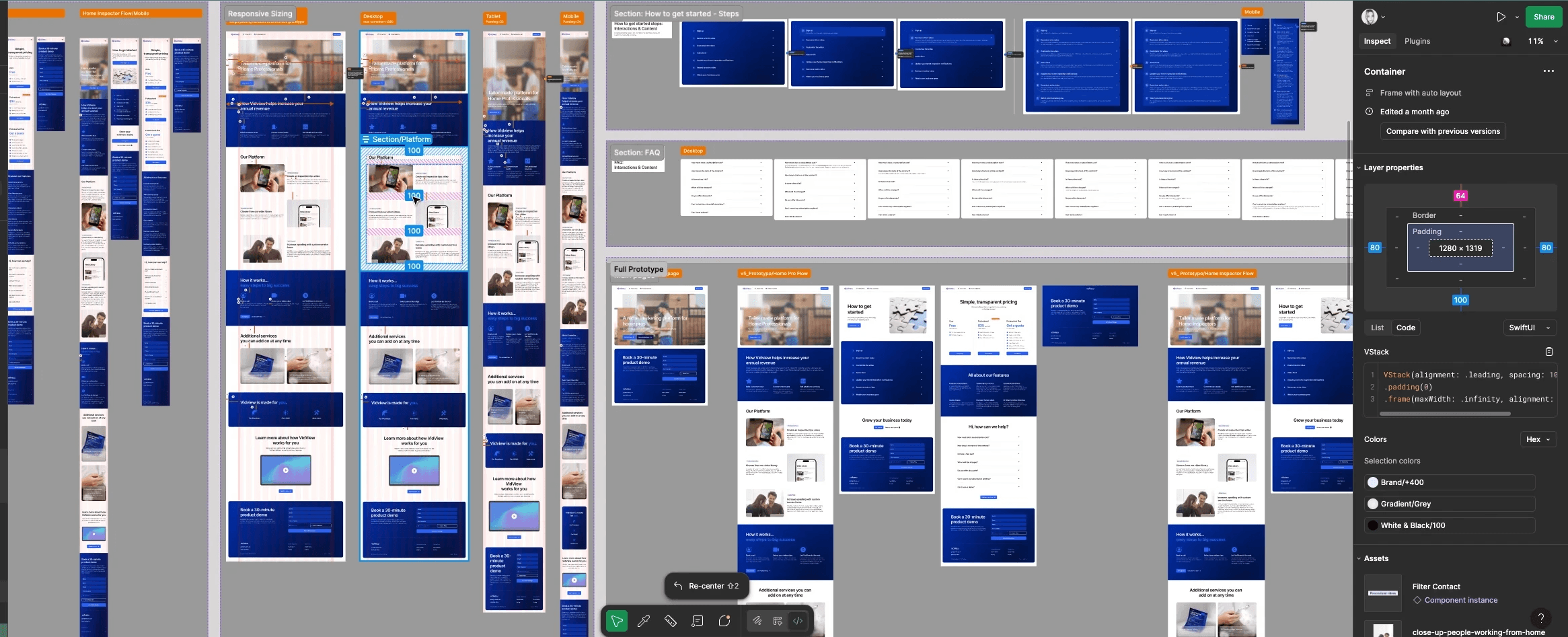
To support development, I created a detailed handoff file in Figma with all key screens laid out across four breakpoints (XL desktop, desktop, tablet, and mobile).
Methods
Using UXPin's annotation guidelines & Figma's Dev mode
Design handoff file including a Design System or Style Guidelines, specs, user flows and prototypes
Annotations: to document interactions, content, and sizing
Comments: to talk back-and-forth with a developer
Measurement tool: to show important sizing requirements
Live Site Review
Once development began, I reviewed the live mobile site and documented visual and functional gaps compared to the design. I captured side-by-side screenshots and left direct feedback for the developer using Figma comments - highlighting layout spacing, component mismatches, and missing interactions.
This allowed for an efficient asynchronous review process and ensured visual and functional consistency where possible, despite tight timelines.
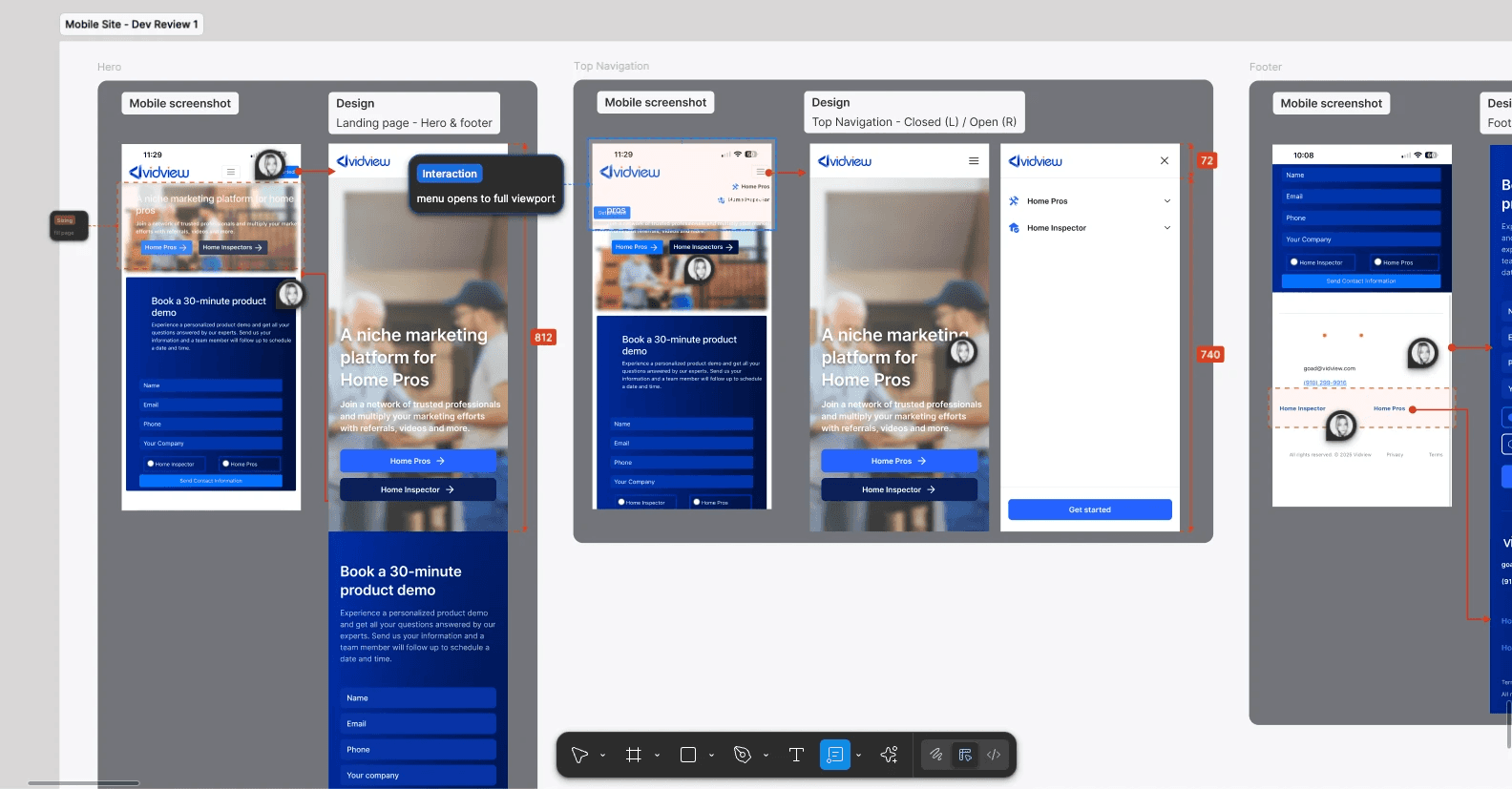
Using Figma comments to work with Dev on live site issues
Dev documentation: Side-by-side screenshots of live site with Figma design with instructions to correct visual problems
Design system
To ensure consistency, clarity, and scalability across the Vidview platform, I created a foundational design system and dev handoff documentation in Figma. While it's not yet a complete design library, this v1 system establishes clear patterns that support both design and engineering workflows.
It includes:
Typography for headings, body text, and supporting UI elements
Color system with brand, semantic, and utility colors, tested for accessibility
Spacing scale and grid system for layout consistency across breakpoints
Effects such as shadows, border radii, and button states
Iconography styled for clarity and brand cohesion
Reusable UI components, including buttons, form fields, and pricing cards
Responsive layout behavior documented for desktop, tablet, and mobile
Feature-level specs for high-priority sections like the FAQ, onboarding steps, and contact form
Built with developer collaboration in mind, this system uses Figma variables, organized component sets, and clearly annotated frames. It served as a central source of truth during handoff and can easily scale as Vidview evolves.
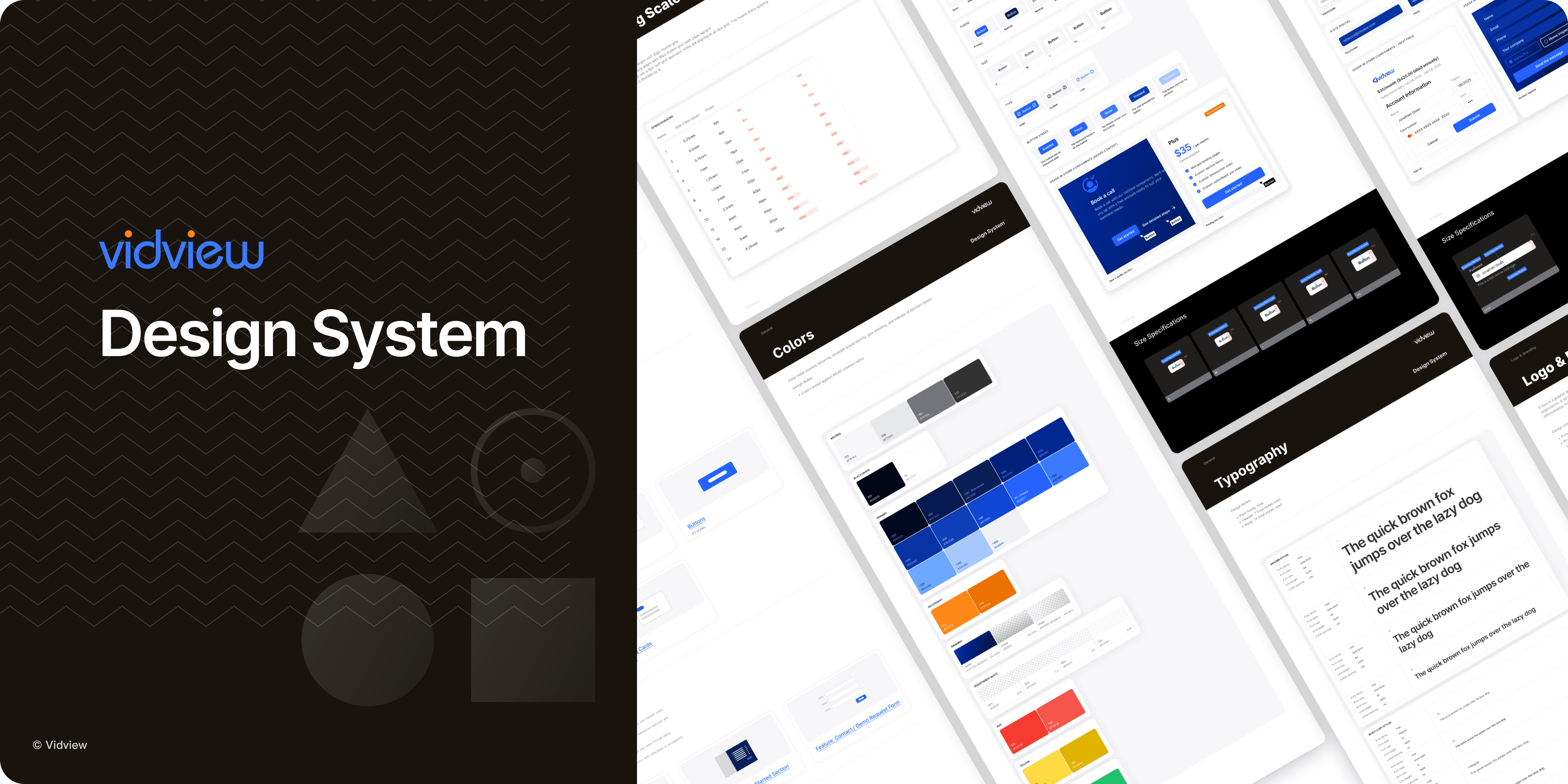
Full Figma Design System
Click below to view the full dev handoff & design system documentation in Figma.
*Best viewed on desktop


